1
Load your wallet
Pick your cards from a preset library of popular cards — annual fees, sign-up bonuses, reward rates, and statement credits arrive pre-filled — or add any card by hand in under a minute.
 Credit Card Central
Every card, fee date, sign-up bonus deadline, and statement credit in one private dashboard — with reminders 30, 7, and 1 day before money is on the line. No bank logins. No account. Everything stays on your phone.


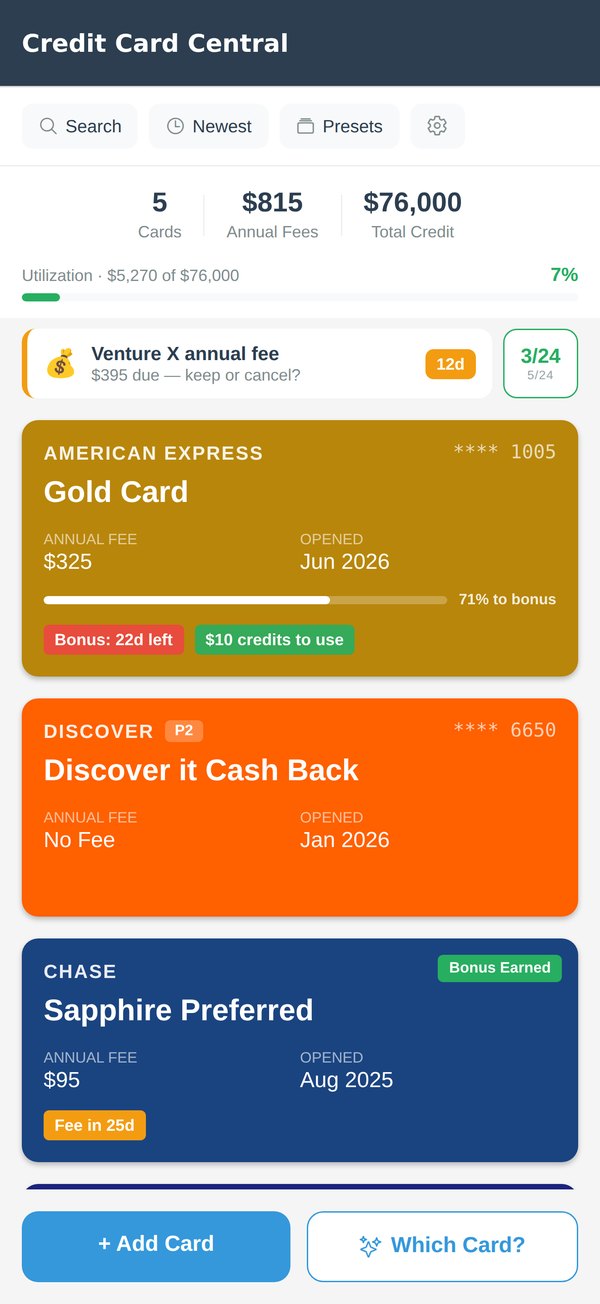
No statements to import, no accounts to link — your wallet is just a list, and you already know what's in it.
Pick your cards from a preset library of popular cards — annual fees, sign-up bonuses, reward rates, and statement credits arrive pre-filled — or add any card by hand in under a minute.
Fee renewals and bonus spending deadlines ping you 30, 7, and 1 day out — or on your own schedule — and expiring credits a few days before they reset. While there's still time to act, not after the charge posts.
Keep it, downgrade, cancel, or call for a retention offer — log what you did and watch the total value you've recovered from the banks grow.
In the app, Which Card? ranks your own wallet by what each card actually pays back for whatever you're buying, or wherever — search Costco, Uber or United — with points valued per program, not just the biggest multiplier. Here it is with the demo wallet — tap a category.
Demo wallet with example reward rates, valuing Amex and Chase points at 1.5¢ and Capital One miles at 1.4¢. In the app the ranking is built from your cards — rates parse automatically from plain text like "4x on dining", or you set them per category yourself — and you can set what your points are worth. Portal-only bonuses, like 10x on hotels through Capital One Travel, are listed separately so you can book it right.
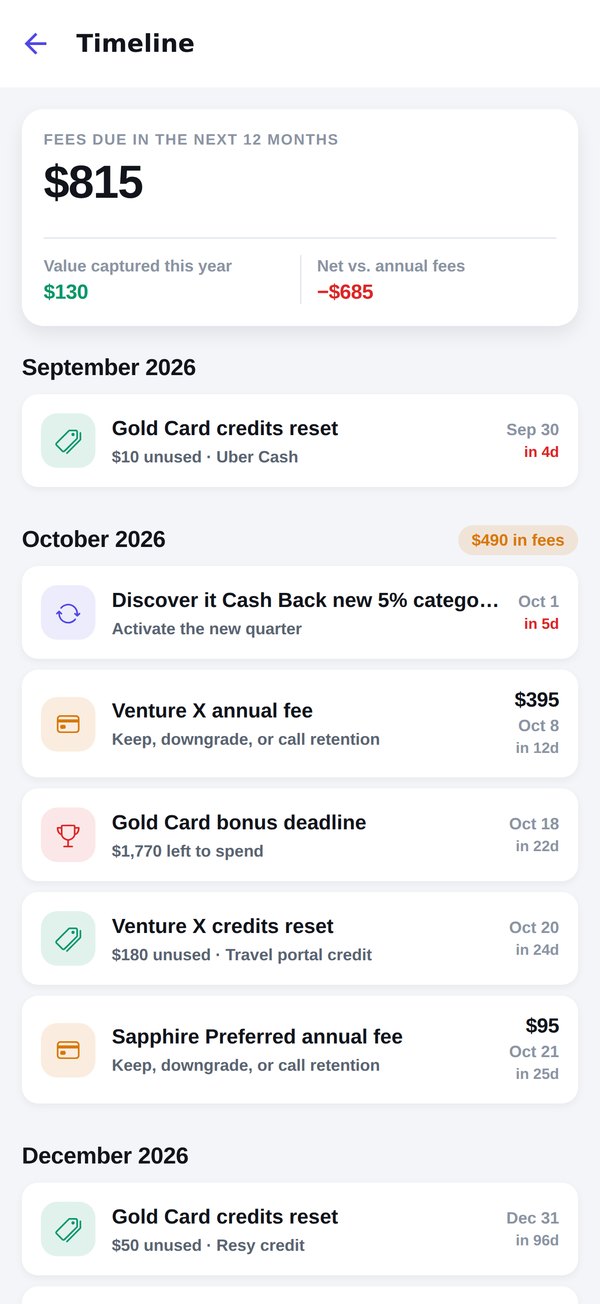
Annual fees don't arrive one at a time — they arrive in clusters, in months you didn't plan for. The timeline lays every fee, bonus deadline, credit reset and category rotation out by month, so a $695 renewal in March is something you knew about in September.
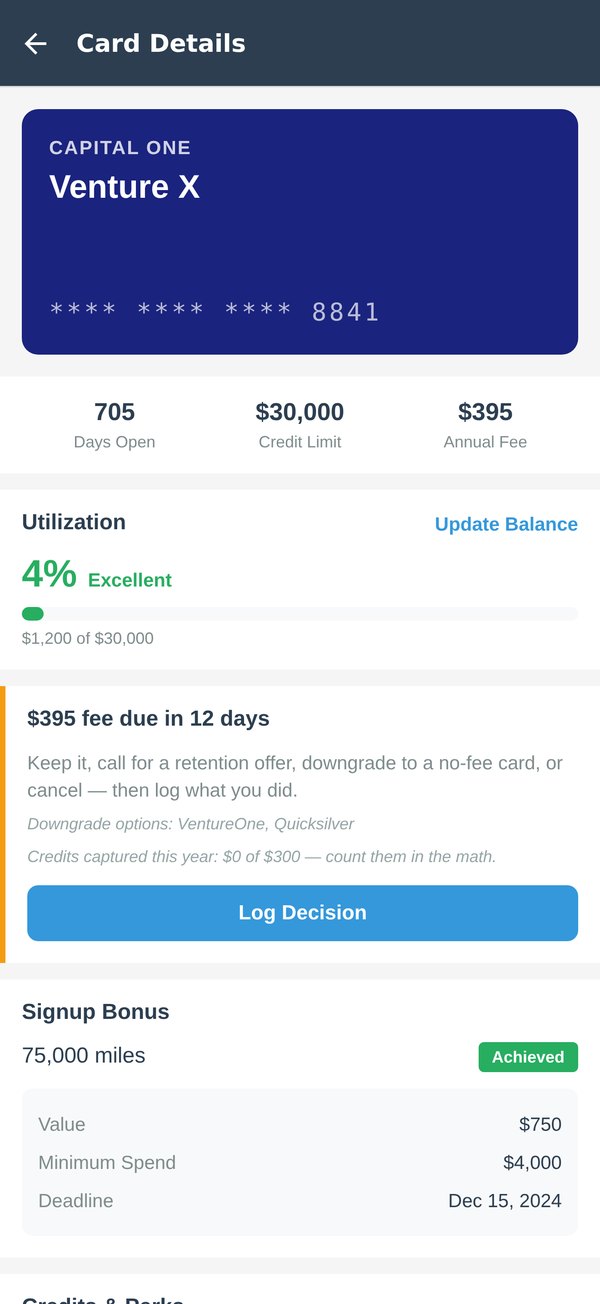
Every card's fee amount and renewal date, tracked from the day you add it. When one approaches, the app lays out your options — and keeps score of what dodging bad fees has saved you.
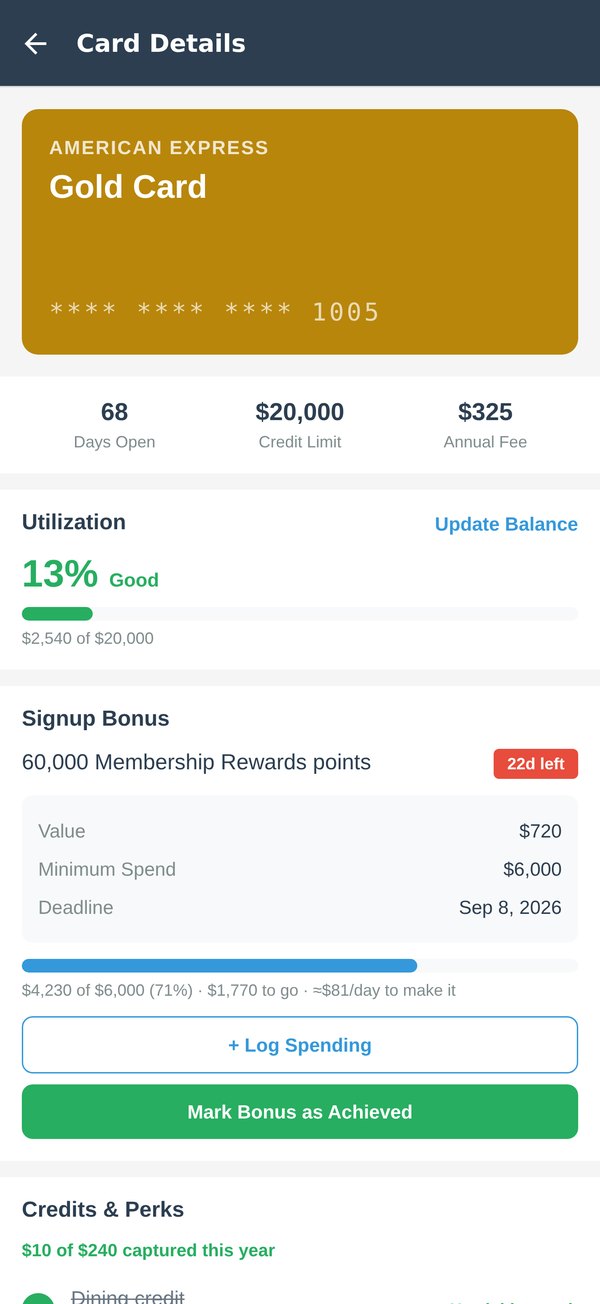
A welcome bonus is often worth hundreds — and it quietly expires. Track the minimum spend and deadline for every card, log purchases as you go, and always know the pace you need.
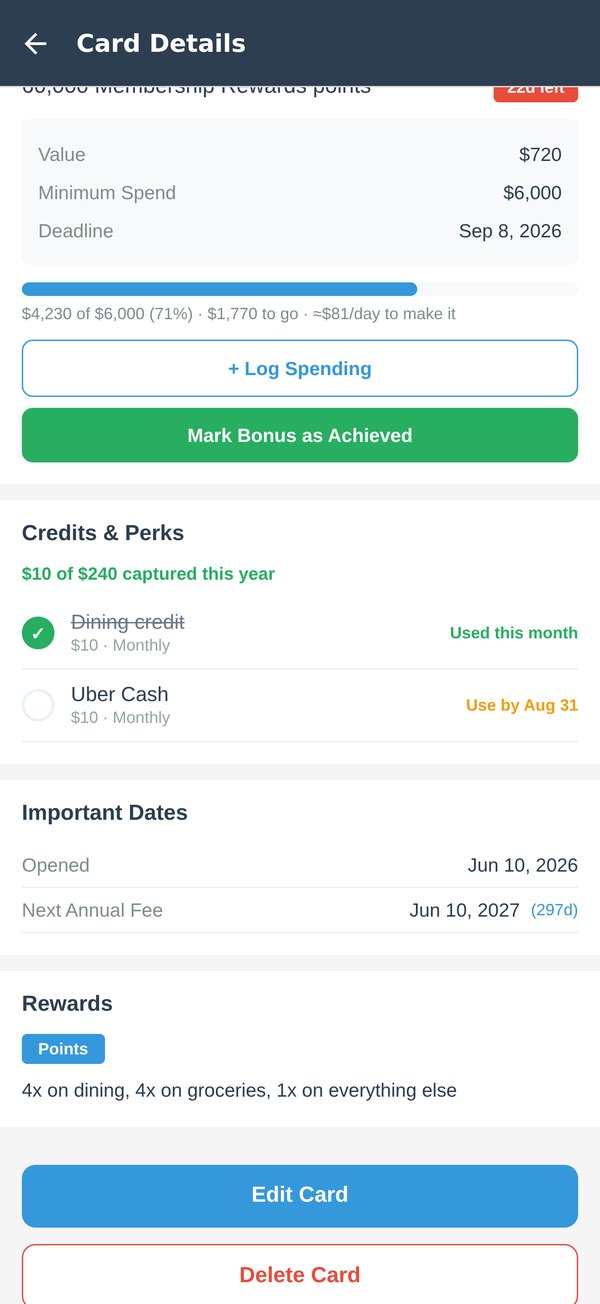
That monthly dining credit and annual travel credit are the reason your card's fee was supposed to be "worth it". Check them off each period and see how much of the value you've actually captured.
A reminder before every payment that isn't on autopay, plus wallet-wide utilization with score-friendly bands.
Your 5/24 count and the day each card drops off, plus the application limits Amex, Citi, Capital One and Bank of America are known for.
Popular cards with fees, bonuses, reward rates, and credits pre-filled — updated between releases.
Your phone's own iCloud or Google backup includes your cards, and one tap exports them as a JSON file. The app never sends them to us.
Face ID, Touch ID or your passcode keeps the app locked if you want it. Dark mode follows your system, or set it yourself.
Search, sort by fee, newest, or urgency, and swipe to delete with undo. A tracker, not a chore.
Aggregator apps want your banking credentials. Credit Card Central never asks — you enter your cards (no full numbers needed), and every byte stays on your phone and in your phone's own backup. It's a tracker for information you already know, not a window into your accounts. No financial advice, no product recommendations, and the app never sends your card data anywhere.
Yes — every feature is free, supported by a small banner ad. A one-time Pro upgrade removes ads forever. No subscriptions, ever.
No, and that's the point. You add cards yourself or pick them from the preset library. No bank logins, no credentials, no sync — nothing to breach.
Annual fee renewals and sign-up bonus spending deadlines — 30 days, 7 days, and 1 day before each by default — plus the refund window after a fee posts, expiring statement credits and quarterly 5% category activations. You choose the timing; reminders are scheduled on your device.
Chase's unwritten rule: five or more personal cards opened in the past 24 months usually means a decline. The app counts your openings so you know where you stand before you apply, shows the day each one drops off — and keeps business cards and cards you track for a partner out of your count.
Your phone's own iCloud or Google backup includes your cards, so a new phone restored from a backup keeps them. One tap also exports everything as a JSON file you can keep anywhere, and one tap imports it. The app itself never uploads anything.
No. Credit Card Central organizes information you enter about your own cards — it never sees your accounts, never moves money, and never recommends financial products. What to do about a fee is always your call; the app just makes sure you get to make it in time.
Free. No account. Your wallet will be in there in three minutes.